
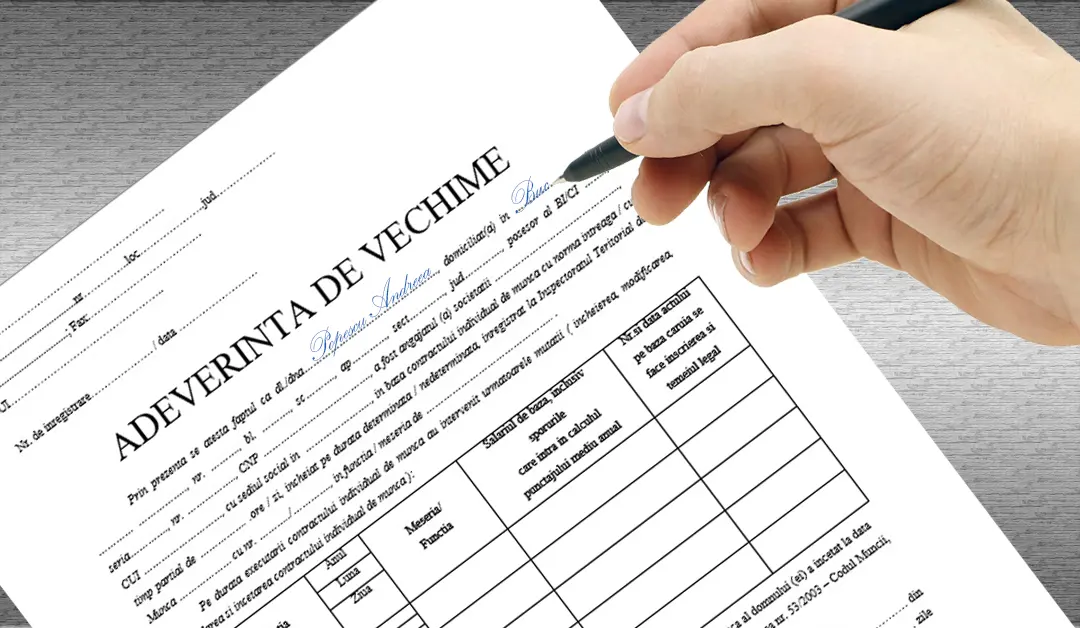
Employment seniority certificate: employer, REGES-ONLINE and archives
Updated on 8 September 2026
Request an employment seniority certificate from your current or former employer. You can consult REGES-ONLINE for electronically recorded employment data and contact CNPP for pension contribution records. If the company has been dissolved, you need to identify who holds its archive.
Before applying, check which document the recipient requires: an employment seniority certificate, an employee register extract or a pension contribution certificate. These documents can contain different information, and the data available online depends on the records submitted.
Guide to finding employment records
Apply the flowchart separately to each employer and each employment period. Start with the document required and aim to obtain complete, usable evidence.
1. Establish what you need to prove
If you already have the required documents and they are correct and accepted by the recipient, the search is complete. Otherwise, start with the type of evidence requested.
| What you need | First check |
|---|---|
| Certificate of employment seniority or specialist experience | The current/former employer; if it no longer exists, the record holder |
| Employment contract extract | REGES-ONLINE, for the available information; check whether the extract meets the recipient's requirements |
| Pension contribution periods after 1 April 2001 | CNPP / territorial pension office records |
| Earlier periods, earnings, bonuses, occupational groups or working conditions | The employment record book and required supporting documents, obtained from the employer or archive |
REGES and CNPP cover different information; a period missing from an online account does not end the investigation.
2. Identify the archive holder
If you need the employer's documents, follow the route below. Always confirm the records and years retained, even if the company name appears in an archive listing.
Steps marked “In ListaFirme” show where you can identify the company, review its history or find contact details using the services available here. See the practical steps below the flowchart.
Where ListaFirme helps in this flowchart
Start with your situation. The sections below open from the matching company profile; check the relevant company for each employer or archive holder.
- You know the former employer’s name or tax ID. Search for the company in ListaFirme and open the matching profile. Compare the tax ID, location and identification details with your documents to avoid confusing companies with similar names.
- You only know a former name. In Advanced search, use the “previous company name” field. You can also enter the prefix
ant:before the former name in the search box. Then check the tax ID and location of the company found. - The company found has a different name. In the profile, open “Detailed reports” → “Previous company names”. Compare the available names and entry dates with the name in your old documents and the company’s tax ID. A name change alone does not mean it is a different employer.
- You do not know whether the company still operates. Check “Identification details” → “Status”, then “Detailed reports” → “Status history”. Read the displayed dates to see the recorded status and available changes. Fiscal inactivity or suspension does not automatically mean removal from the register.
- The company exists and you need to contact it. Under “Company profile” → “Contact”, check the available address, phone number, email and website. Ask the company who manages its personnel and payroll records and where to send your request for the period worked.
- There is insolvency, reorganisation, bankruptcy or another form of liquidation. Look for the relevant person in the profile and in “Directors history”, checking the “Role” column. Consult “Insolvency history” and “Court cases” where relevant. For additional or updated Trade Register information, you can request a RECOM report. For insolvency or reorganisation, trace the judicial administrator; for bankruptcy or other liquidation, including voluntary liquidation, trace the liquidator. Ask where the records were transferred and who retains them.
- The company was struck off, merged or acquired. Use “Directors history”, “Status history” and “Official Gazette” as starting points to identify a former representative or possible successor. Check who actually received the records for your period. A similar name or shared shareholders alone does not confirm legal succession or archive ownership.
- You have been given the name of a company that may hold the archive. Search for this company too by name or tax ID, check its status and available contact details, then ask it to confirm the employer, document types and years retained. If it has ceased trading, trace the next archive transfer.
Advanced search and detailed reports require sign-in and the relevant package options or credits. RECOM reports are charged separately. ListaFirme information helps identify the company and people to ask; the holder must confirm the records and periods retained.
The RECOM service helps identify the relevant people. National Archives records and transfer notifications provide another route to identifying the holder.
Rules on archive records and transfers
Situations that need a separate check:
- Changes of name, registered office or shareholders: trace the same entity and its historical names.
- Merger, demerger or acquisition: identify the successor and who received the records for your period; there may be several holders.
- Suspended or fiscally inactive company: check its legal existence and representative; these situations do not automatically mean it has been struck off.
- Removal from the register without a liquidator: trace the former director and the person appointed to retain the records.
- The archive provider has ceased trading: trace the next transfer of the archive.
- Uncollected employment record book or older records: also check whether the former employer or territorial labour inspectorate still holds those documents.
3. Follow up on the response
After submitting your request, retain proof of delivery and handle each outcome separately. If you receive only some documents, continue the search for the missing information or periods.
In ListaFirme, when you are referred to another holder: search for the named company and check its status and contact details. If the name has changed, use the previous-name search and name history, following the steps above. Confirm the records and years retained directly before resubmitting your request.
Refusal to issue documents and non-existent records are different branches. Where pension data is missing, other supporting documents may be used under the conditions set by law; reconstructing employment seniority in court requires checking the specific circumstances and period concerned.
How do you request the certificate from your employer?
Send a written request to your current or former employer, specifying your employment period and the document you need. Keep the registration number or proof of delivery. Under Article 8(7) of Government Decision 295/2025, a certificate requested in writing must be issued within 15 working days of the request.
When the employee's activity ends, the employer must issue the certificate and a signed register extract under Article 8(6). You may also request certified copies of documents from your personnel file in writing; Article 8(4) also sets a 15-working-day deadline for these copies.
The current framework is Government Decision 295/2025 on REGES-ONLINE. Government Decision 905/2017 was repealed on 31 December 2025; instructions based solely on the former Revisal system must be checked against current rules.
What information should you check in the certificate?
The certificate must reflect your work, its duration, salary, employment seniority and specialist experience, based on the register and personnel file. When you receive it, check in particular:
- your identity and the employer's name;
- the contract details and the start and end of your employment period;
- the positions held and the seniority recorded;
- salary and any suspension periods relevant to the document's purpose;
- the issue date and the signature of the person certifying the document.
For recruitment competitions, pension applications or other procedures, check the format and information required by the receiving institution. A form required for a particular competition is not automatically suitable for every certificate.
How do you download a REGES-ONLINE extract?
Open REGES-ONLINE and select the employee application (Aplicație Salariat). Sign in with ROeID or another method available for your account. Email and password access requires an activated account; follow the official access and identity validation instructions.
- Choose the option to request a register extract.
- Select an individual extract for one employer or a consolidated extract, and the available period you need.
- Check the details, choose the format, such as PDF, and the electronic signing option, then submit the request.
- Once generated, download the document from the request status section.
The steps and extract types are described in the official employee guide. If you find errors, ask the employer to correct the data; for access issues or guidance, contact REGES support or the territorial labour inspectorate.
What pension records can you obtain from CNPP?
For periods after 1 April 2001, your territorial pension office can issue a contribution record certificate on request. Information is also available in your personal CNPP account, subject to the declarations submitted. You can apply by email, post or in person, with a copy of your identity document, following the CNPP instructions.
For earlier periods, your employment record book and employer or archive documents remain important. A period missing from your online account does not, by itself, prove that you did not work then.
Where do you request the certificate if the company has been dissolved?
First identify your former employer: its name during your employment, tax identification number, location and any name changes. Check whether the records are held by a legal successor, a lawful archive holder or an authorised archival service provider. The National Archives and their county branches can help identify the holder; do not assume that every archive is held by the labour inspectorate or CNPP.
To locate the personnel and payroll archive, you can contact the judicial administrator if the company is undergoing insolvency or reorganisation, or the liquidator in the case of bankruptcy or other forms of liquidation, including voluntary liquidation. If the company has already been struck off the register, look for the person who handled the procedure. You can identify them using Trade Register information - the ONRC/RECOM extract and the company's history - checking the role recorded alongside their name; for insolvency proceedings, also consult the Insolvency Proceedings Bulletin (BPI). Request written confirmation of whether the documents are still held by the company or to whom they were transferred, the archive holder's contact details and the periods covered by the retained documents. This information helps you direct your certificate request to the appropriate holder.
In your request, specify the name you used at the time, your employment period, position and the documents required. Ask the holder to confirm that it has the company's records for that period, and request pricing and delivery details before ordering. Article 29 of the National Archives Law sets a general maximum of 60 calendar days for issuing documents concerning the applicant's rights.
Sources to check: National Archives Law 16/1996, official information on archival service provider authorisation and the 2026 maximum fees for authorised providers.
What if documents or employment periods are missing?
Request written clarification from the employer, archive holder or territorial pension office, depending on the document. Keep the replies and available records. For seniority accrued up to 31 December 2010, Article 279(2) of the Labour Code provides for reconstruction by the court competent for labour disputes, at the request of a person without an employment record book, using documents or other evidence. The procedure and the appropriate defendant depend on the circumstances; missing online data does not automatically mean that CNPP should be sued.
Consult the Labour Code, particularly Article 279.
Find in the ListaFirme database whether your former employer is a dissolved or active company, as well as useful contact details.